The Small Website Improvements That Deliver the Biggest SEO Wins
Most advice on website SEO points small business owners toward big, expensive strategies. It’s either hire an agency, rebuild your site, or invest in a full search engine optimisation overhaul. And while those things have their place, they’re not where most websites actually fall short.
A lot of the time, smaller issues like missing page titles, broken internal links, or poorly structured content hold back rankings. At first glance, these problems seem minor. But gradually, they make it harder for search engines to understand, crawl, and rank your website.
Fortunately, most of them are fixable without a developer or a big budget. This article covers the small website improvements that often deliver the biggest SEO gains.
Let’s get started.
Fix Your Page Titles and Meta Descriptions
Your page title and meta description are the first things people see in search results, before they ever visit your website. A vague title like “Home” or “Services” tells Google and potential customers very little about the content they’re about to click on.
Compare that to “Emergency Plumbing Repairs in Brisbane.” It clearly explains what the business offers and who it’s for, which makes it easier for search engines to match the content with relevant searches. Plus, it gives the reader a much better reason to click.
That’s why you should review your most important pages and rewrite each title around one clear idea: what the content offers and who it’s for. Then write a concise meta description that summarises the information and highlights the value a visitor can expect.
Your search ranking might not change overnight, but stronger titles and descriptions can improve how often people click your result over others.
And if you haven’t touched yours yet, this is one of the simplest places to start.
Strengthen Your Internal Links
Internal links are one of the most overlooked SEO tools on a website. They connect your pages, helping search engines understand how your content fits together and which pages relate to specific topics or services.
They also improve navigation for visitors. Someone reading a blog post about choosing a hot water system may also need installation services, but without a clear link between the two pages, they might never find it.
To improve your internal linking, look through your existing content and find natural places to connect related pages. Prioritise the ones that are important for generating enquiries or attracting search traffic, then add links from relevant articles and service pages. These small updates can strengthen your site structure without creating new content.
Improve Your Page Speed
A slow website costs you visitors before they even see what you offer. In fact, Google research shows that 53% of visitors are likely to abandon a page that takes longer than 3 seconds to load. So if your site feels slow, these are the first places to look:
- Oversized Images: A single camera-quality photo can be five to ten megabytes. Stack several of those across one page and your load time will start to suffer. You can use free tools like TinyPNG or Squoosh to compress image files without any visible drop in quality.
- Unused Plugins and Scripts: Remove any plugins or third-party scripts you no longer use. Each one adds extra code your website has to process, and too many running at once can slow down your site.
- Caching and Hosting: The hosting behind your site determines how quickly it can process requests, so a poor hosting plan can become a bottleneck as your website grows. Browser caching can also help by storing parts of your site on a visitor’s device, which reduces the amount that needs to load on future visits.
In our experience auditing small business websites across Brisbane, oversized images and unused plugins are the two most common culprits. To check where your site stands, run it through Google’s PageSpeed Insights. The report shows which elements are slowing your pages down and gives you a clear place to start.
Clean Up Your Heading Structure
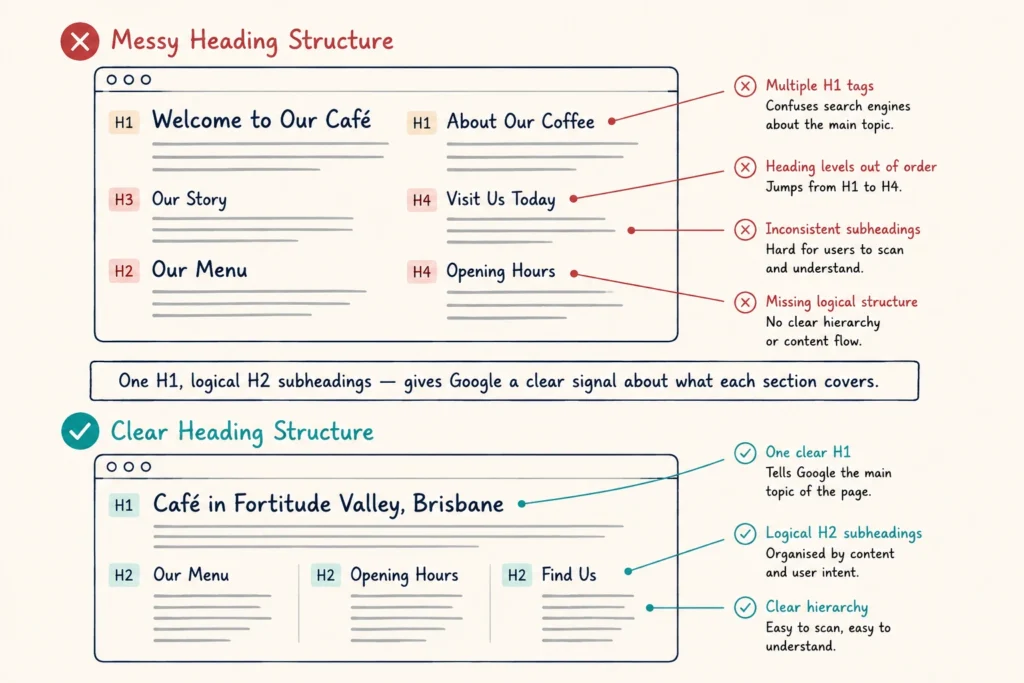
Headings guide both readers and search engines through your content. A messy structure can make it harder for visitors to find information and harder for search engines to understand how your content is organised.
That’s why a clear heading structure starts with one main heading that explains the page topic, followed by subheadings that break the information into logical sections. For example, if you run a café in Fortitude Valley, your H1 might be “Café in Fortitude Valley, Brisbane.” Your H2s could then cover “Our Menu,” “Opening Hours,” and “Find Us.”
Each heading gives Google a clearer signal about what that section covers, which helps it match your page with the right search queries.
Add Descriptive Alt Text to Images
Alt text is a short written description attached to an image. It tells Google what the photo shows because they can’t interpret visuals the way humans do. If it has no alt text or uses a vague label like “image1.jpg,” Google has very little context about what it represents.
Instead, describe what the image actually shows and how it relates to the page. A photo of a technician repairing a hot water system, for example, could use alt text like “technician repairing a residential hot water system.”
It’s a small update that takes only a few minutes but helps search engines better understand your pages.
Fix Broken Links
You’ve probably landed on a page that showed an error message like “404 – Page Not Found.” That usually means the content no longer exists or the link pointing to it is broken. Either way, it creates a dead end for visitors and can stop them from finding the information they were looking for.
Broken links can also make it harder for search engines to navigate your website. When a crawler follows a link and reaches a dead end, it loses a path to the content that link was meant to lead to. They’re easy to miss too, unless someone specifically checks for them.
That doesn’t mean you can’t fix them. You just need the right tool. Free options like Screaming Frog or Ahrefs Webmaster Tools crawl your site and list every broken link in minutes. Once you have the list, you can either update the link or redirect the old URL to a working page.
Update Outdated Content
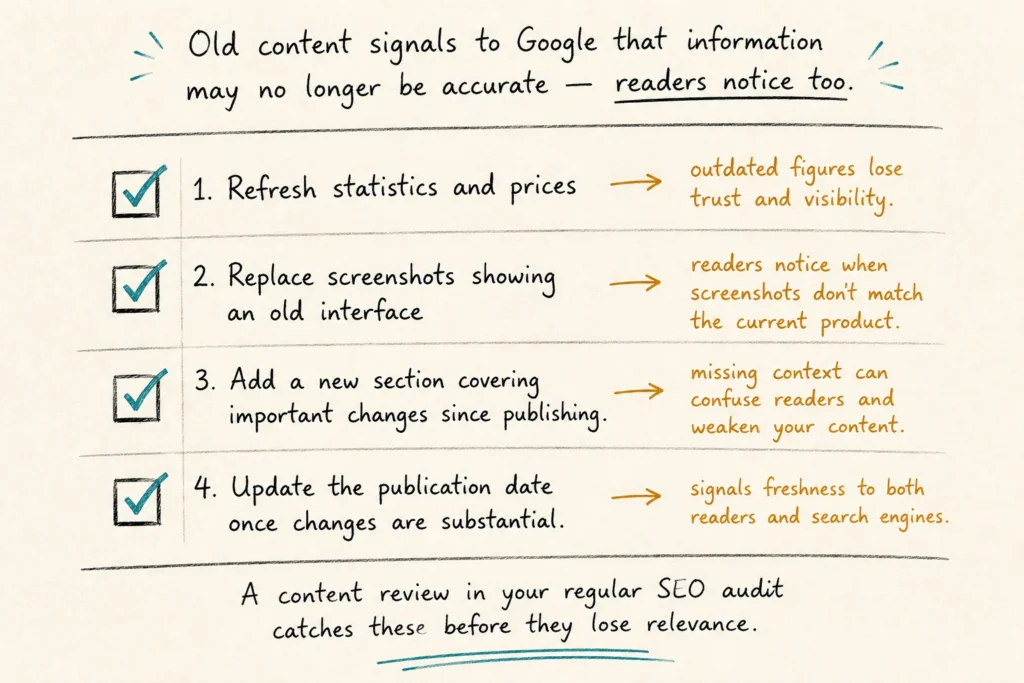
Old content signals to Google that information may no longer be accurate, and readers notice the same thing. A blog post with outdated prices, screenshots, or recommendations can lose trust and visibility, even if the core advice is still sound. Often, a few targeted updates are enough to bring it back up to date:
- Refresh statistics and prices so the information reflects current figures.
- Replace screenshots that show an outdated interface or design.
- Add a new section covering important changes since publishing.
- Update the publication date once the changes are substantial enough to justify it.
These updates help your existing content stay accurate and useful over time. Adding a content review to your regular SEO audit makes it easier to find pages that need a refresh before they lose relevance.
How to Measure the Impact of Your Changes
The easiest way to measure SEO improvements is through Google Search Console. It shows how often your pages appear in search results, how many people click them, and which search terms bring visitors to your site.
Before making any updates, note the current impressions and clicks for the URLs you’re planning to change. Once the updates are live, give them four to eight weeks before reviewing the results. Search engines need this time to recrawl your content and reassess where it should appear in search results.
After that, compare the page’s performance before and after the update. An increase in impressions, clicks, or average ranking position is usually a good sign that the changes are working. You can then use Google Analytics to see what those visitors do once they arrive on your website.
Where to Start First
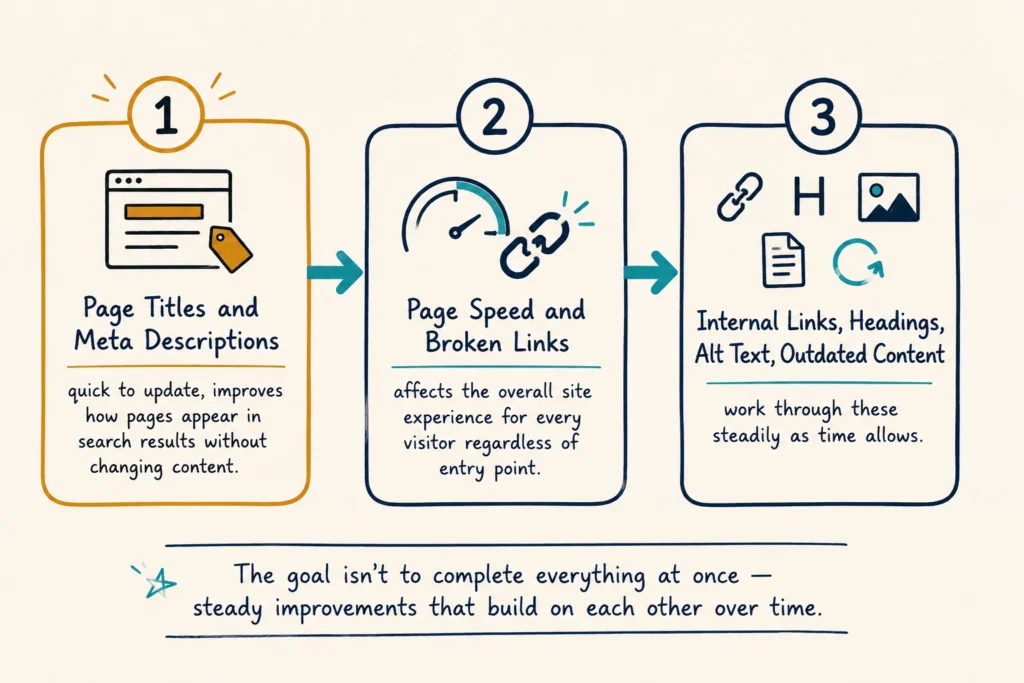
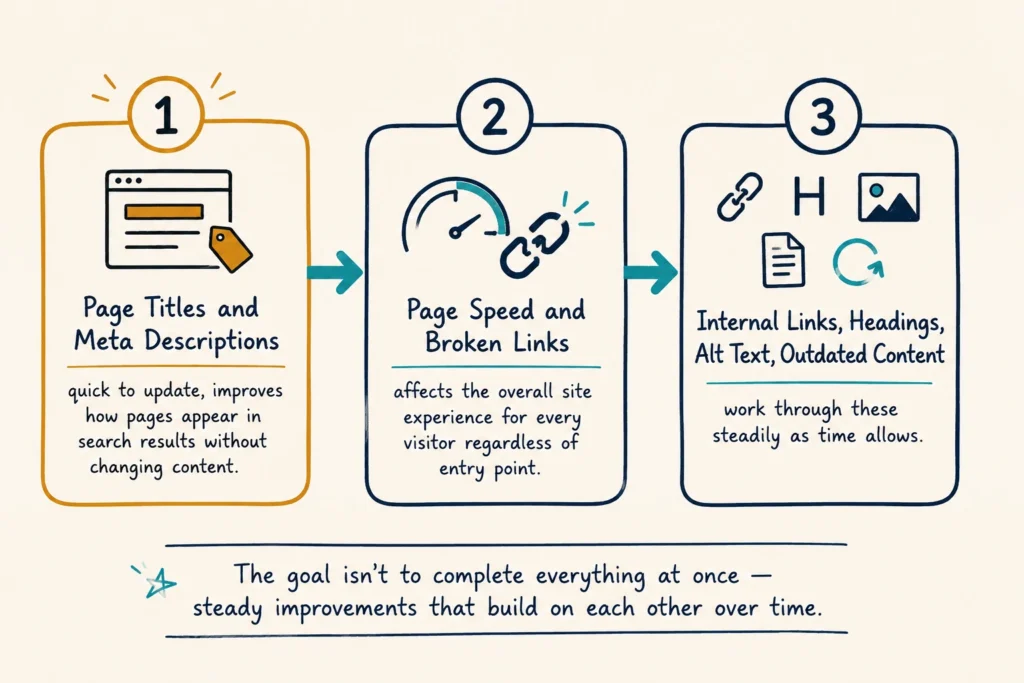
Start with your page titles and meta descriptions. They’re quick to update and can improve how your pages appear in search results without changing the content itself.
Next, focus on page speed and broken links. Both affect the overall experience of your website, and improvements here benefit visitors regardless of where they enter your site.
Once those foundations are in place, work through internal linking, heading structure, alt text, and outdated content as time allows. The goal isn’t to complete everything at once, but to make steady improvements that build on each other over time.
A Better Website Is Built One Fix at a Time
None of the improvements in this article requires a developer, a big budget, or a cleared schedule. They’re small, targeted changes that improve how search engines read your site and what visitors do when they land on it.
Pick one fix from this list and start there. That’s genuinely all it takes to get moving.
Get in touch with the team at Dashboard Co-op, and we’ll take a look.