Your Website Has 100 Pages. Google Only Cares About 30. What Happened to the Rest?
You publish new pages regularly; your XML sitemap lists 100 URLs, but Google only shows about 30 in its index. The rest may be sitting unnoticed, bringing no search traffic.
That gap between published and indexed pages frustrates owners of sites of every size, and at Dashboard Co-Op we see it most weeks. When pages are not indexed, they never reach search results. In many cases, the problem comes from your site’s technical setup rather than the quality of your content.
Here is the thing. Google’s index holds hundreds of billions of webpages, so yours has to earn its slot. This guide covers why pages get skipped, how to spot the blockers, and which fixes work.
Grab your Google Search Console login and work through the checks with us.
Why Are Some of Your Pages Not Indexed by Google?
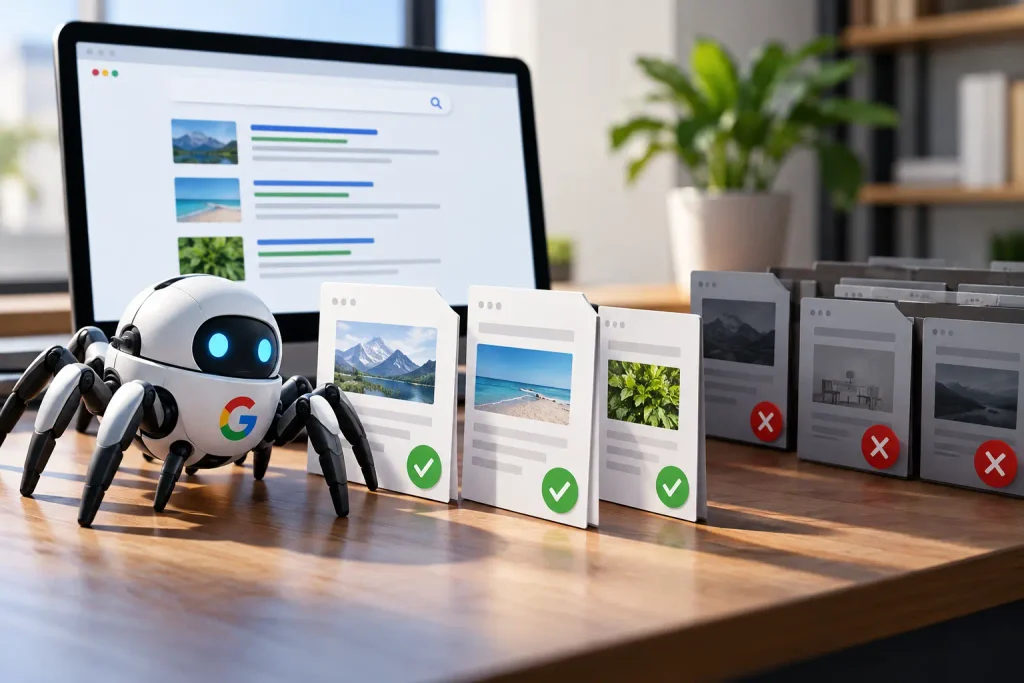
The number of pages you publish rarely matches the number Google indexes, and that gap can mean missed search traffic. Most indexing problems come from a few common crawling issues that can affect websites in any industry.
Two things decide it: crawlability and indexability. Googlebot has to crawl and index the page, and it can stall at either step. That is what crawlability SEO comes down to.
Work through the three patterns below, and you will know which one holds your URLs back.
Pages That Get Crawled but Not Indexed: Where the Indexing Process Stalls
Google may crawl a page, read its content, and still decide not to index it yet. Google Search Console labels these pages as “Crawled, currently not indexed.” This does not always mean there is a technical error. Google has simply chosen not to add the page to its index at that time.
A similar status is “Discovered, currently not indexed.” In this case, Google knows the URL exists but has not crawled it yet. Slow server responses, limited crawl capacity, or Google’s assessment of the site can affect when it returns to the page.
You can check a specific URL with Google’s URL Inspection tool. It shows whether the page is indexed and when Google last crawled it. After fixing any issues you find, you can select Request Indexing to ask Google to crawl the page again. The status may take some time to update, so give Google time to process the request.
Server Errors and Status Code Problems That Block Crawling
When your server returns repeated 5xx errors, Googlebot may slow down or stop crawling your pages. The same can happen when your server takes too long to respond, as Googlebot may fetch fewer pages during each visit.
These problems often appear during busy periods, especially on shared hosting where several websites use the same server resources. But you can check Google Search Console’s Crawl Stats report for spikes in errors, timeouts, or slower response times. This way, you can find these changes early, which can help you fix the server before they affect your indexed pages.
Since crawling depends on your server responding properly, check these issues before changing your content. You can run a crawl with Screaming Frog and sort the results by response code to find pages returning errors or other crawl problems.
Duplicate Content and Other Common Indexing Issues That Make Google Skip a Page
Four issues come up often in indexing audits: near-duplicate content, thin pages, missing internal links, and URL parameters. Each can make a page less useful when Google compares it with other URLs on the same site.
Internal linking is especially important because Google needs paths to discover and understand your pages. An orphan page has no internal links pointing to it, so Google has fewer signals that the URL matters. One client came to us with 40 blog posts that could only be reached through the sitemap (even though the content was live on the site).
How Google accesses the page is important too. JavaScript can delay or hide content until a script runs, which may leave Google with little content to process when it first loads the URL.
URL parameters can create a similar problem by generating multiple versions of the same page through filters and sorting. Use canonical tags where appropriate to show Google which version of the URL you want indexed.
Crawl Budget Waste and Crawl Depth Keep Your Important Pages Buried
With the causes mapped, crawl capacity is the next thing to check, because every site gets a rough limit on how much Googlebot will fetch. Waste that limit on junk URLs, and your best pages wait at the back of the queue.
Site structure also affects how easily Google can reach your pages. Pages buried several clicks from the home page can be harder to discover and may receive less attention during a crawl. Three common issues can waste crawl capacity across larger sites:
- Faceted Filter URLs: Colour, size, and price filters can create thousands of URL combinations for the same products. Instead of helping Google find useful pages, these variations can use up crawling capacity on near-identical URLs.
- Redirect Errors and Redirect Chains: Several redirects between the original URL and the final page create extra requests for Googlebot. Check your internal links and point them straight to the final address wherever possible.
- Stale Sitemap Entries: An outdated sitemap can keep sending Googlebot towards pages that have been deleted. Remove those URLs and keep the file focused on live, indexable pages.
For most smaller sites, crawl capacity is unlikely to be a major problem. Google says sites with fewer than a few thousand URLs are generally crawled efficiently. So focus on cleaning up unnecessary URLs rather than treating crawl budget as an urgent issue.
Your Robots.txt File, Noindex Tags and Canonical Tags: Blockers Hiding in Plain Sight
Two lines of code can block more pages than almost any other indexing issue, yet they often get overlooked. A single disallow rule can stop Googlebot from crawling an entire section, while one template setting can prevent those pages from being indexed.
The two blockers work differently and live in different parts of a site. Compare what each blocker does and where it lives before you go hunting through your own files (plenty of sites carry both).
| Blocker | What it stops | Where you’ll find it |
|---|---|---|
| Robots.txt disallow | Halts the crawl before Googlebot reads the page | yoursite.com/robots.txt |
| Noindex tag | Allows crawling, then keeps the URL out of the index | Page source head, or your CMS |
| Canonical pointing away | Hands ranking signals to a different URL, reported as Google chose a different canonical than the user | Head of the duplicate page |
Now, there is one important catch with robots.txt. If a page is blocked from crawling, Google cannot see a noindex tag placed on that page. Remove the disallow rule first, then let the noindex tag tell Google to keep the URL out of the index.
Fixing Content Quality, Internal Linking and Site Structure Issues That Keep Pages Out of the Index

After technical blockers are fixed, the next question is whether the page offers enough useful information to deserve a place in the index. Google compares pages with other results for the same search, so thin or duplicate content can make a URL less valuable. A page with very little useful information may struggle to compete, while several pages covering the same topic can leave Google choosing one URL over the others.
Adding extra words will not solve either problem. The better approach is to combine pages when they cover the same ground and build out the information that readers actually need. We merged 18 overlapping posts for a Brisbane retailer into six detailed guides, then redirected the original URLs. All six guides were indexed within three weeks, after earlier attempts to improve the separate posts had not worked.
Once the content is worth indexing, make sure Google can reach it through your site. Internal links connect related pages and help Google understand which URLs are valuable. Add relevant links from established pages that already receive traffic rather than relying on a sitemap alone. This is especially useful for pages that have few or no internal links pointing to them.
Repeat these checks every quarter so a new problem never sits unnoticed for months. Sort your pages by traffic, look at the bottom 20 per cent, and decide whether each one is worth improving, merging or removing.
Your Technical SEO Audit Checklist: Keep More of Your Site Crawled and Indexed

The gap between published and indexed pages becomes easier to close when you treat crawling and indexing as technical tasks. Each fix targets a specific problem, so you can work through them one at a time instead of making broad changes and hoping they help.
Start by checking your indexing status in Google Search Console. Work through the causes one by one, fix what you find, and give Google time to recrawl the affected pages. Small fixes can bring useful pages back into the index and help them keep attracting traffic.
Ready to find out which pages Google keeps skipping, and why? Book an indexing review with Dashboard Co-Op and walk away with a clear list of fixes worth making.