Why Most Business Websites Fail to Convert Visitors
Most business websites fail to convert because they focus on looking good instead of guiding visitors toward action. They invest heavily in visuals, animations, and branding, but put far less thought into what a visitor should do once they arrive.
The result is predictable. Traffic comes in, people browse for a few seconds, and leave without doing anything. Not because the business is weak, but because the site doesn’t make it clear what the visitor should do next or why they should care. The good news is, this is usually fixable without rebuilding everything from scratch.
This article covers the most common website conversion issues and what to do about each one. By the end, you’ll have a clear idea of where your site is losing potential customers and how to fix it.
But first, let’s see what a website conversion is and why it’s more important than your traffic numbers.
What a Website Conversion Is and What It Means for Your Business
A website conversion is any action a visitor takes that signals interest: filling out a form, calling your business, or making a purchase. These actions can be understood in two ways: what types of conversions exist, and how conversion performance is measured. Here’s what that looks like in practice.
Primary vs. Secondary Conversions
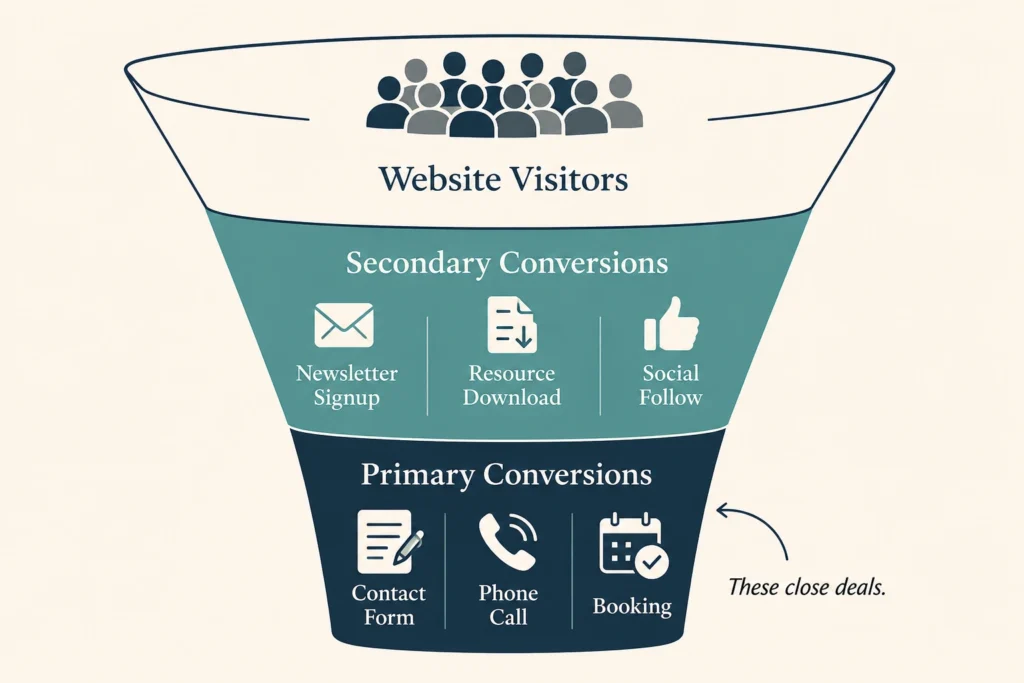
Conversions generally fall into two categories: primary and secondary. Primary conversions are the big actions that directly lead to sales and new customers, such as a contact form submission, phone call, or consultation booking.
Meanwhile, secondary conversions are smaller steps, like signing up for a newsletter or downloading a resource. They don’t close a deal on their own, but they keep potential customers in your orbit until they’re ready to buy.
How to Measure Conversion Performance
Once you know what you’re tracking, measuring performance becomes much easier with the right tools. This is where Google Analytics and Google Search Console become useful.
Google Analytics shows which pages are getting traffic, how long users stay, and where they drop off. Google Search Console adds insight into how your site performs in search results. Together, they paint a clear picture of what’s working and what’s costing you conversions.
At a basic level, conversion performance is summarised through a simple metric: your conversion rate. This is calculated by dividing total conversions by total visitors and expressing it as a percentage.
From there, the real question becomes: why do most websites fail to generate conversions at all? Let’s look at the most common reasons why websites fail to convert visitors.
No Clear Path to Action
Think about the last time you landed on a website, looked around for a few seconds, and left because nothing told you what to do next. That’s exactly what happens on most business websites, every day.
Many websites have calls to action, but they’re buried, generic, or competing with too many other options on the same page. A button that says “Submit” or “Learn More” doesn’t tell users what they’re getting or why it’s worth clicking. And when visitors can’t find a clear next step, they leave without taking any action at all.
Fixing the lack of a clear path to action comes down to three core things:
- A single primary goal per page, with everything supporting it
- Calls to action that clearly explain what happens next
- A focused layout that removes distractions from the main action
In audits for Brisbane businesses, we often see pages with three or more competing calls to action on a single screen. When we reduce this to one clear primary action and refine the wording, engagement usually improves within a few weeks without any redesign.
Messaging That Fails to Connect With Buyers
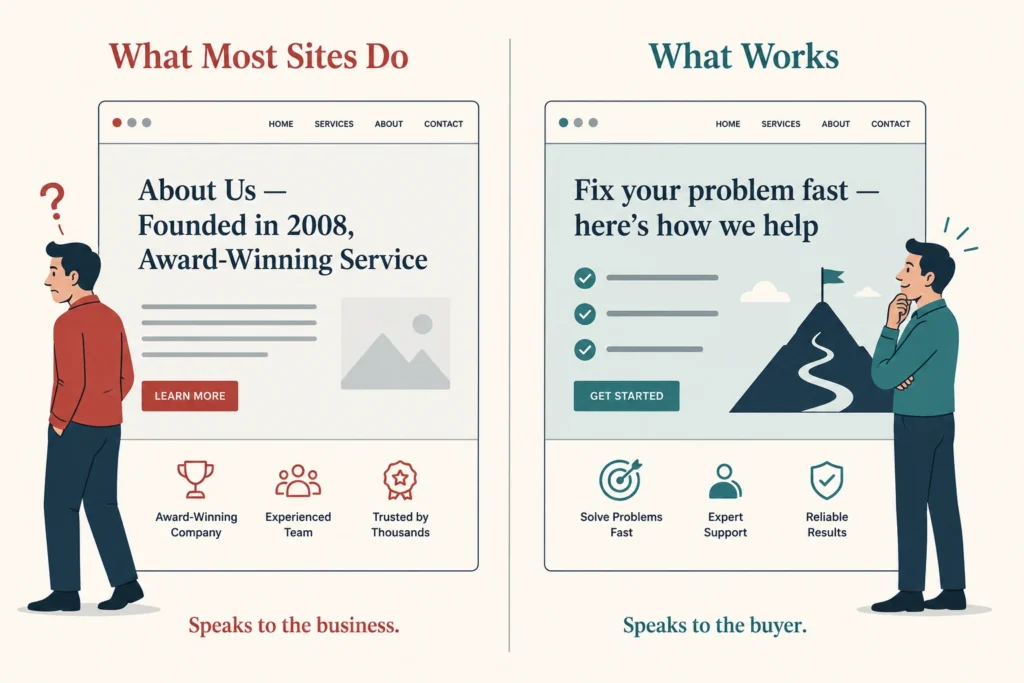
When a website speaks directly to a customer’s problem, visitors tend to stay longer and trust builds faster because it shows the business understands their situation. Most business websites do the opposite.
Instead of leading with customer needs, they start with company history, service lists, and internal achievements. The result is messaging that focuses on what the business does rather than what the visitor needs.
Good messaging, on the other hand, starts with user intent. Think about what your audience is looking for and why they landed on your page. Then create a copy that speaks directly to their goal. This approach makes visitors feel understood and keeps them engaged and moving toward a conversion.
Trust signals reinforce that sense of understanding. A simple testimonial or case study can drive more conversions than a full page of well-written copy. Without that social proof, even strong messaging can struggle to convert.
How Slow Load Times Affect Your Search Rankings
Slow load times are one of the most common and most overlooked website conversion issues. In fact, Google research shows that 53% of visits are abandoned if a page takes longer than three seconds to load. That’s more than half of potential customers gone before they even read a word. Page speed also impacts search rankings, which means a slow site can lose visibility in search results before visitors even find it.
The problem is that load issues are harder to catch because business owners are often on fast connections or viewing cached versions of their own site. As a result, these issues often stay invisible until real users experience them.
To fix load issues, you need to identify what’s slowing your pages down. PageSpeed Insights is a free tool that breaks this down clearly and flags the highest-priority fixes first. From there, you can focus on the changes that will deliver the most impact.
Poor Mobile Experience and Why It Costs You Conversions
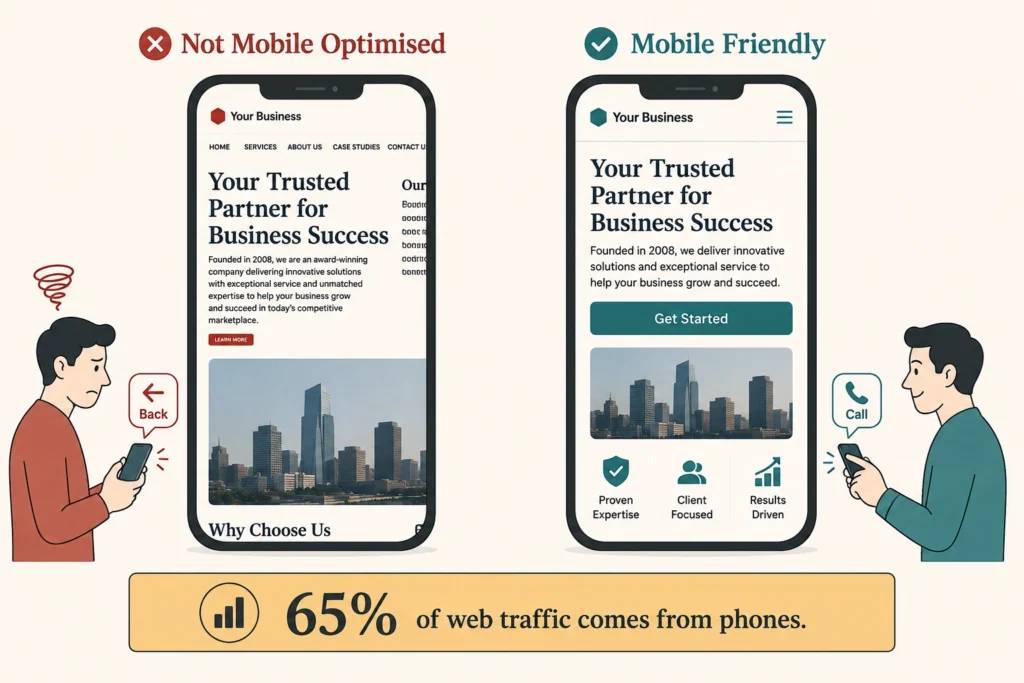
Mobile experience is no longer optional, especially with more than 65% of web traffic coming from phones. But many sites are still designed with desktop in mind. The result is broken layouts, oversized images, and buttons that are too small to tap comfortably.
Most of these issues happen because the site was never properly tested on a real device. A browser preview may look fine, but it doesn’t reflect what visitors actually experience on their phones.
Fortunately, you don’t need to redesign your entire site to fix this. Simple changes like compressing images, simplifying navigation, and increasing button size are usually enough to make a site genuinely mobile-friendly.
Pro Tip: Before making your site live, test every key page on at least two different devices. That way, you can spot and fix mobile issues early.
Page Design That Doesn’t Support Decision-Making
A cluttered page works like a cluttered desk. When everything is competing for attention, nothing gets it, and the visitor leaves without acting.
Poor visual hierarchy is usually the root cause. Without a clear structure guiding the eye from one element to the next, users don’t know where to look or what to do. As a result, usability drops, and so do conversions.
A well-designed landing page removes that confusion. It guides the visitor from problem to solution to a single clear call to action, with nothing in between that doesn’t serve that journey.
That’s what conversion optimisation looks like in practice: not clever design tricks, but a page structure that makes the next step obvious.
More Traffic Won’t Fix a Website That Doesn’t Convert
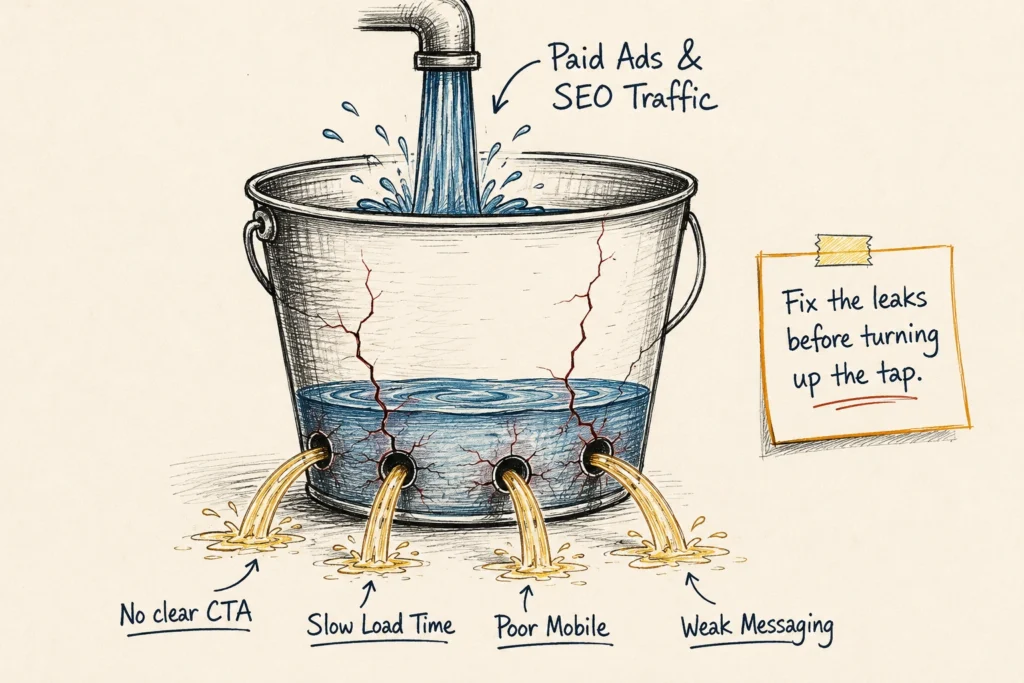
Putting money into Google Ads or digital marketing before fixing conversion issues is like filling a leaking bucket. The spend goes in, but the leads don’t stay.
This is a common mistake among small businesses. They assume more traffic will solve the issue, so they invest in ads to bring more visitors in. If the site isn’t set up to convert, extra traffic just means more people leaving without taking action.
The problem isn’t visibility. Search engines and paid ads can put your site in front of the right people, but they don’t control what happens after the click. That’s a conversion problem, and it needs to be fixed before any traffic strategy will work.
Start Fixing What’s Costing You Conversions
Website conversion issues rarely fix themselves, but they also rarely require a full rebuild to improve. Most of the problems covered in this article come down to clarity, structure, and intention, and those are things that can be addressed without starting from scratch.
If visitors are landing on your site but not converting, the answer is almost certainly somewhere in this list:
- Unclear or missing calls to action
- Messaging that speaks to the business, not the buyer
- Slow load times or a poor mobile experience
- Page design that creates confusion instead of guiding decisions
Start by auditing one page, your homepage or main service page, and check it against each issue covered here. If you’d like a second set of eyes, Dashboard Co-op can help you identify exactly where your website is losing leads and why.
Get in touch to book a free website audit.