Menu Makeover: The Navigation Fix That Stops Visitors Bouncing
Have you ever watched someone land on your website, only to leave within seconds? That quick exit often comes down to one thing: your navigation menu. Around 61% of users abandon a website because the navigation doesn’t make sense to them.
And search engine crawlers behave the same way. If your site structure is messy, you end up with orphan pages that nobody can find. Your most important content gets buried, and so your chances of ranking drop.
Now, what does a well-structured site actually do? It helps people find answers quickly. At the same time, it shows search engines exactly which pages are most important.
In this article, we’ll walk you through website structure SEO, internal linking, and site navigation best practices. You’ll learn how to fix your menu, connect related pages, and stop losing visitors to a cluttered layout.
First, we’ll explain how a good site structure can benefit your SEO.
How a Solid Website Structure Improves SEO and Navigation
A solid website structure helps search engines understand your content and shows users exactly where to go. If your site is organised well, pages also get indexed faster, and visitors stick around longer.

Below, we’ll cover the practical steps you can take to improve your own website’s architecture.
What is Website Structure in SEO?
Website structure is how your site’s pages are organised and linked together. Think of it as a map that guides visitors from one page to the next. Each page should connect to related content, so nothing feels hidden or hard to find.
Search engines use this structure to move through your site using internal links, content clusters, and pillar pages. Once your structure is clear, both users and search engine crawlers can find what they need more easily.
Internal Linking Best Practices
Internal links connect your website pages and guide readers from one piece of content to another that relates to it.
When you add links naturally within blog posts, you help your readers explore topics in more detail. This keeps them on your site longer and helps search engines understand how your pages connect.
You should also share link equity with high-value pages, like landing pages or service pages. This is important because links from strong pages pass authority to weaker pages, which helps them rank better in search results.
Pro Tip: Audit your site regularly to find orphan pages. These are pages with no internal links pointing to them, so they’ll be harder for search engines to find and rank.
Improve Crawl Depth and Findability
Here’s a simple rule: most pages on your site should be reachable within a few clicks from the homepage. You can do this using a flat site structure, which keeps pages close to the top level so nothing is buried too deep. This way, both users and search engines can reach any page in just three to four clicks.
For example, group your content by themes or intent. Then, keep product pages together under one category and service pages under another. Once you’ve got that structure in place, use Google Search Console and an HTML sitemap to test how well your pages are indexed. This will show you what’s working and what needs improvement.
Common Mistakes to Avoid
Even well-meaning site owners make mistakes that hurt their website architecture.
One common error we see is adding too many internal links to a single page without any relevance. When you do that, each link passes less authority and confuses your readers.
If your main menu hides important pages in hard-to-find dropdowns, your mobile users will leave. In fact, a lot of Brisbane businesses lose traffic simply because their navigation doesn’t work well on smaller screens.
Finally, never publish new pages without linking to them from somewhere on your site. That’s called orphaning, and it leaves your content invisible to both visitors and search engines.
Website Navigation Best Practices for Users and Search Engines
As we mentioned, good navigation helps visitors find what they need while showing search engines how your site is organised. So, let’s look at how you can build good navigation for everyone.
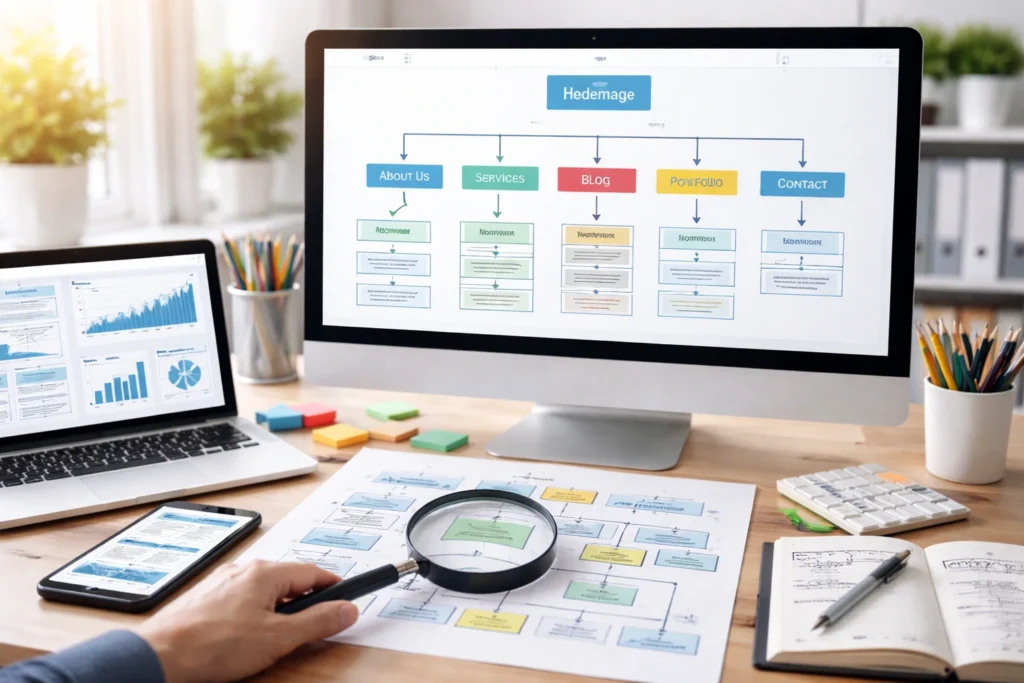
Navigation Affects Rankings and Retention
If your users can find what they’re looking for quickly, every time, they won’t leave in frustration. This way, organised site menus connect directly to lower bounce rates and longer time on site. Search engines also notice this behaviour. In fact, a survey by Clutch found that 94% of users say easy navigation is the most important feature of a website’s interface.
Your main menu sends a strong signal to search engines. The links you include there tell Google which pages are the most important. So if you bury your best content in hard-to-find places, you’re wasting that signal.
Site Navigation Best Practices
Start by keeping your menu items limited to your most important pages. Too many options can overwhelm your visitors and weaken the authority each link passes. Instead, use keyword-rich anchor text for your menu links whenever possible.
For example, instead of a generic “Products” link, you should use “Organic Skincare Products” as your menu text. This helps search engines understand what each page is about.
Now, if you use vertical sidebar menus or dropdowns, make sure your content is visible. Dropdowns can work well, but they’ll be hard to use if the options are hidden, too small, or collapse on smaller screens.
Helpful Tip: Make a habit of linking related pages under a main pillar page. This will strengthen your authority on a topic and help search engines see that you’ve covered it in depth.
Mobile Devices and Navigation Design
More than half of all website traffic now comes from mobile devices. So your navigation needs to work just as well on a phone as it does on a desktop.
One way to do this is by using thumb-friendly menus with large touch targets. We recommend a size of at least 44 pixels by 44 pixels, which makes it easier for users to tap without hitting the wrong link.
You can check how well your mobile navigation is working by running it through a Mobile Friendly Test and Google’s PageSpeed Insights. These tools will flag any issues that might stop search engine crawlers from accessing your content properly.
Tools to Track and Improve Navigation
Once your navigation is set up, you’ll need to track how well it performs. Google Analytics will show you exactly where users drop off on your site. So, if you notice a high exit rate on certain pages, that’s often a sign your navigation is confusing people.
Other tools like Screaming Frog can show you internal link depth and flag any broken links. This is useful for spotting pages that are buried too deep or not linked at all.
Finally, create an HTML sitemap as well. Unlike an XML sitemap (which is mainly for search engines), an HTML sitemap guides your users to pages that are harder to find. In other words, it gives both visitors and crawlers another way to find content that might otherwise slip through the cracks.
Make Your Website Easy to Navigate for Visitors and Search Engines

So, how does your website stack up after reading through all of this? Take a moment to think about your own site structure and consider whether visitors can reach your best content in just a few clicks.
A well-organised website structure, great navigation, and thoughtful internal linking can improve your search engine rankings. At the same time, they help users find exactly what they need.
So, if your important pages are buried, your internal links feel random, or your main menu confuses visitors, it’s probably time for a menu makeover. But you don’t need to change everything at once.
You can start by auditing your internal links, simplifying your site’s menu, or creating content that connects naturally with what already exists on your site.
Want help putting these ideas into action? Visit Dashboard Co-op to learn how we can help you build a site structure that works for your business.