Speed Matters: How Website Performance Impacts Conversions
When your website loads slowly, customers leave before making a purchase, which directly kills your conversion rates. The truth is, website speed optimisation protects your revenue and keeps customers happy enough to buy from you.
Also, slow loading times cost you sales every single day. Frustrating, right?
Don’t worry. In this guide, you’ll learn:
- Why fast load times increase your sales
- Hidden costs of slow websites
- Free speed test tools that work
- Google’s core web vitals made simple
- Quick performance wins you can implement today
We’ll show you exactly how to fix these performance issues using simple methods. Ready to learn more? Let’s break down everything about boosting your site speed and conversion rates.
Why Fast Load Times Mean More Sales

Fast load times mean more sales because customers stick around long enough to buy something. Think about it this way. When your website loads quickly, people feel confident browsing your products and completing their purchase. But when pages take forever to load, those same customers get frustrated and head straight to your competitors instead.
Think about your own online shopping habits. You probably abandon slow websites within seconds. Your customers do the same thing with your site. Every extra second of delay gives them another reason to leave and buy somewhere else.
You need to understand that the connection between speed and sales isn’t guesswork. Ask your long-term online business entrepreneur friends, and they’ll tell you the same thing. That faster websites consistently convert more visitors into paying customers.
You understand why fast load time controls your sales, but we have yet to know exactly what slow speeds cost you.
The Hidden Cost of Slow Websites
Slow websites drain your revenue, but how? The catch is you see visitors coming to your site, but you don’t see the ones who bounce away before your page finishes loading.
Here are the three ways slow sites drain your revenue:
Bounce Rates That Hurt Your Wallet
When your landing pages take too long to load, visitors leave within seconds. They never see your products, never read your content, and never become customers. What’s worse, you’re paying for traffic that produces zero sales.
Cart Abandonment Patterns
Slow checkout pages make customers nervous about completing purchases. As a result, they worry something might go wrong, so they abandon their cart and buy from faster competitors instead. Unfortunately, each abandoned cart represents lost revenue you’ll never recover.
Search Rankings Drop
Google penalises slow websites in search results. This means fewer people find your site organically, which forces you to spend more money on advertising to make up the difference.
Now you need a way to measure your current speed.
Core Web Vitals Decoded for Business Owners
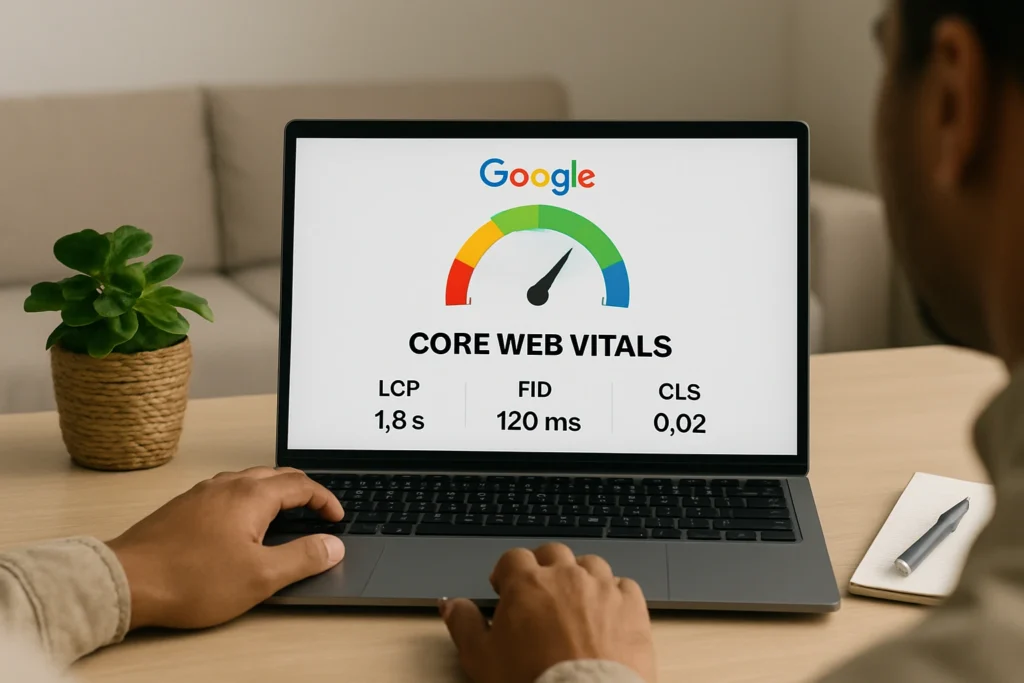
Google uses specific metrics to judge a website’s speed experience to real users. These measurements, known as core web vitals, directly affect your search rankings and customer experience.
Come and explore with us what Google measures when scoring your site speed:
- Largest Contentful Paint (LCP): Your main content should appear within 2.5 seconds for better results. For example, restaurant websites with hero images that load fast see 40% higher reservation rates than those that take longer.
- First Input Delay (FID): When visitors click buttons, responses under 100 milliseconds feel instant. Compare this to slow sites where delayed reactions make customers think checkout forms are broken or untrustworthy.
- Cumulative Layout Shift (CLS): Stable pages keep content in fixed positions during loading. The fix involves setting specific dimensions for images and ads so mobile shoppers don’t abandon sites when text and buttons jump around unexpectedly.
The bottom line is simple: each vital connects to your conversion rates because frustrated users leave before buying anything.
Once you know your speeds, here’s how to improve them.
Free Speed Test Tools That Work
Testing your website speed doesn’t require expensive software or technical expertise. Several free tools give you reliable data about your site’s performance and show you exactly what needs fixing.
Start with these proven speed test tools:
- PageSpeed Insights: Google’s free tool provides the most comprehensive analysis for beginners. Simply enter your URL, wait 30 seconds, and you’ll get detailed scores for both mobile and desktop performance. What makes PageSpeed Insights special is how it highlights specific problems like oversized images or slow server response times.
- GTmetrix: This tool offers a different perspective by showing your site’s loading waterfall. You can see which files take the longest to load and identify bottlenecks that slow everything down. Plus, the free version includes basic monitoring features to track improvements over time.
- Pingdom Website Speed Test: This option focuses on real-world loading times from different global locations. It helps you understand how customers in Sydney versus Melbourne might experience your site differently. Pingdom Website Speed Test also breaks down file sizes, so you know which elements consume the most bandwidth.
Test your site weekly using at least two different tools to get accurate baseline measurements and track your optimisation progress.
Quick Wins for Better Performance
Boosting your website speed doesn’t mean starting from scratch. Instead, a few smart tweaks to your files and settings can cut loading times in half within days.
Try these four changes for immediate speed improvements:
Image Compression Made Simple
Large image files are speed killers that slow down every page they touch. Along with that, most people don’t realise that you can compress your photos to 80% quality using free tools like TinyPNG or built-in WordPress plugins.
The result? Your site loads noticeably faster, but visitors won’t spot any difference in how sharp your images look.
Plugin Cleanup Strategy
Too many plugins create a mess of unnecessary code that bogs down your website. Think of it like having too many apps running on your phone.
Heed our advice, go through and deactivate plugins you don’t actively use, then delete them completely. It’s best if you only keep the ones that directly help your business, and you’ll notice your site speed improves almost instantly.
Hosting Reality Check
Cheap shared hosting is like trying to run a business from a crowded coffee shop. When your current provider consistently delivers slow server response times, it’s time to upgrade.
Always remember that quality hosting makes every other speed fix work better, so this change often delivers the biggest impact.
Mobile Speed Priorities
Mobile users expect lightning-fast loading, even more than desktop visitors. The solution is optimising your mobile site by reducing image sizes for smaller screens and simplifying navigation menus. Interestingly, mobile-first optimisation often improves desktop speed as a bonus.
Such fixes will get your website running faster, but sometimes you need professional help to tackle deeper performance issues.
Get Your Website Working for You, Not Against You
Now you know exactly how website speed affects your bottom line. So, every day you wait means losing sales to faster competitors.
Hold your horses, there’s a simple solution! Dashboard Co-Op has spent years perfecting website optimisation techniques that work specifically for Australian businesses. We understand the technical side of speed improvements, but more importantly, we know how to translate those fixes into increased profits for your company.
Our Brisbane-based team has helped countless local businesses turn their slow websites into conversion machines. So, stop watching customers leave because of poor website performance.
Get in touch with us today and know exactly what’s holding your site back.