How a Two-Second Delay Can Cut Your Website Leads in Half
Did you know 47% of consumers won’t wait more than two seconds for a website to load? That’s almost half of your potential customers gone before they even see your product.
The worst part? You’re already paying for traffic through ads, SEO, or outreach. When your site loads too slowly, those visitors bounce straight to a competitor. Most business owners don’t realise this is happening until they dig into their analytics and wonder where everyone went.
This guide walks you through exactly what’s slowing down your website and how to fix it, step by step. Let’s start by looking at why the 2-second rule exists in the first place.
The 2-Second Rule: Where Half Your Leads Disappear

The 2-second rule means your website should load in two seconds or less to keep visitors from bouncing. This isn’t some made-up benchmark. Google research shows bounce probability increases 32% when page load time goes from one second to three seconds.
The impact on conversions is even worse. A 100-millisecond delay can hurt conversion rates by 7%. For a site generating $100,000 per day, that tiny delay costs roughly $2.5 million in lost revenue per year. That’s not pocket change.
This happens because people have gotten used to instant responses online. Every extra second feels like forever, and slow load times damage your credibility before visitors even read your first headline.
What’s Causing Your Slow Website?
Your site loads slowly for several reasons, but most often, unoptimized images, poor hosting, and render-blocking scripts are the main culprits. Let’s break each one down.
- Unoptimized Images: Forbes reports that images account for up to 75% of a page’s weight, which makes them the top contributor to page bloat. A single high-resolution photo can weigh more than your entire homepage code. If you’re uploading images straight from your camera without compression, you’re likely slowing your site by several seconds without realising it.
- Render-Blocking Scripts: JavaScript and CSS files prevent browsers from displaying content until they finish loading. That means visitors stare at blank screens while your code processes. Additional scripts add delay, and it’s easy to accumulate more than you realise over time.
- Third-Party Tools: Analytics platforms, advertising scripts, and tracking codes stack up quickly. Most of them are measuring things nobody ever checks. Every tool adds another external request, and some load on every page whether you need them there or not.
The good news? Once you identify which culprit is hitting your site hardest, you know exactly where to focus your efforts.
Testing Website Speed: Tools That Pinpoint the Problems
Speed testing tools work like an MRI for your website. They show you exactly what’s slowing you down instead of leaving you guessing. That’s why you need them. There are several speed testing tools, but the two most popular are Google PageSpeed Insights and GTmetrix.
Google PageSpeed Insights
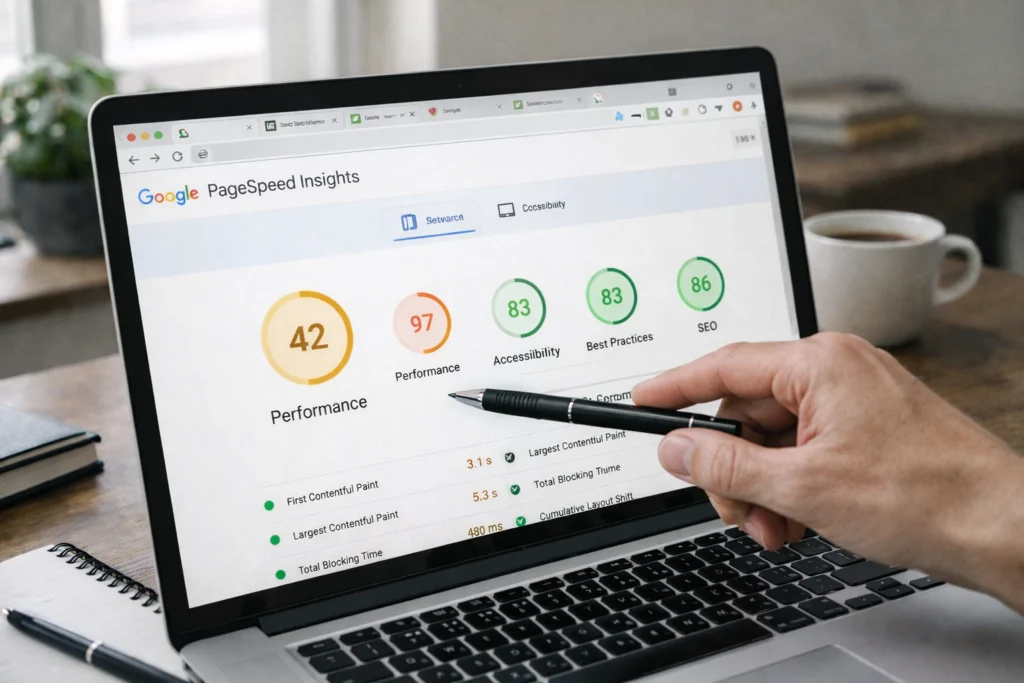
PageSpeed Insights analyses your site and gives you a performance score out of 100. It tests both mobile and desktop versions, then breaks down what’s dragging your speed. The tool measures things like how quickly your largest image loads and how fast visitors can interact with your page. Google also ranks its suggested fixes by impact, so you know which changes matter most.
GTmetrix
GTmetrix shows you a detailed waterfall view of every element loading on your page. You can see which images, scripts, or third-party tools are taking the longest. It gives you a letter grade for both performance and site structure. You can also test from different server locations to see how your site performs for visitors in other countries.
What These Tools Actually Measure
Both tools track metrics like Largest Contentful Paint (how fast your main content appears), Time to First Byte (how quickly your server responds), and Total Blocking Time (how long before visitors can click buttons). These numbers tell you where the delays are happening, which is the first step in fixing them.
In the end, speed testing is just one part of a comprehensive SEO audit that checks your site’s overall health.
Server Response Time and How Hosting Impacts Page Speed
Your hosting provider controls the first half-second of every page load. This is measured as Time to First Byte (TTFB), which tracks how long your server takes to start sending data after a browser makes a request. The lower this number, the better.
Web.dev recommends keeping TTFB at 0.8 seconds or less. Anything above 1.8 seconds is considered poor. If your TTFB is too high, your hosting is often the biggest bottleneck.
Take shared hosting, for example. Multiple websites compete for the same server resources, so traffic spikes on one site slow down the rest. It’s like sharing a highway during rush hour. One accident affects everyone.
We’ve seen this with dozens of Brisbane businesses that cut their load times in half within a week after switching from cheap shared hosting to more reliable providers. The budget hosting wasn’t saving money. It was costing conversions.
Beyond hosting quality, server location is also important. The farther your server is from your visitors, the more latency you introduce. Better hosting networks minimise this with faster DNS resolution and servers positioned closer to your audience.
Image Optimisation: The Fastest Way to Cut Page Load Time
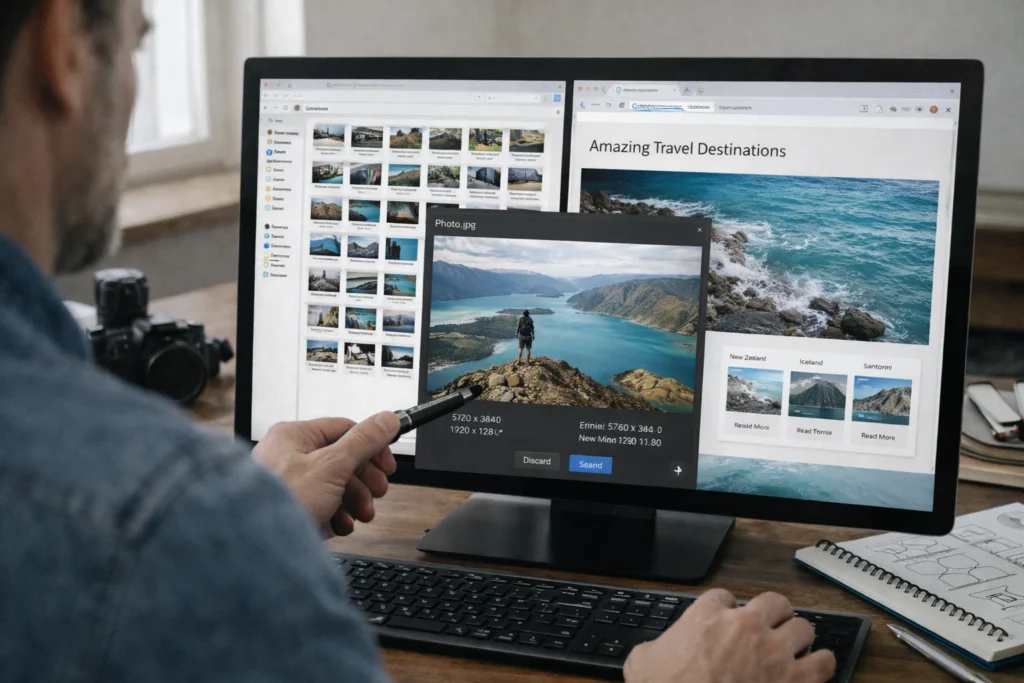
As we already mentioned, images account for almost 75% of your page weight. That’s why optimising them gives you the biggest speed boost with the least effort. Here are three quick wins you can implement today.
- WebP Conversion: Switching to WebP format cuts file sizes by 25–34% compared to JPEG without any visible quality loss. Free tools like Squoosh, TinyPNG, or Cloudflare’s image optimisation handle the conversion automatically, so you don’t need expensive software.
- Lazy Loading: This technique defers offscreen images until users actually scroll to them. Above-the-fold content displays immediately instead of waiting for images buried at the bottom of the page. Most modern CMS platforms (WordPress, Shopify, Wix) now include lazy loading by default.
- Proper Sizing: Mobile users download the same huge desktop images even though their screens are a fraction of the size. Serving correctly sized images cuts that wasted bandwidth and speeds up mobile performance without extra plugins.
You don’t need to tackle all three at once. Start with WebP conversion since it requires the least technical work and delivers the fastest results.
How to Reduce HTTP Requests Without Breaking Your Site
To reduce HTTP requests, you need to consolidate files and remove what you’re not using. Start by auditing what’s actually loading on your pages. Many sites run scripts and tools in the background without their owners realising it.
Once you know what’s loading, combine your files where possible. Merge multiple CSS files into one, and do the same with JavaScript. Fewer files mean fewer requests, which speeds things up. Browser caching also helps since it stores files locally, so returning visitors don’t download everything again. Finally, review your third-party scripts. Each one adds an external request that slows your page down.
Pro Tip: Remove anything you’re not actively using. If you haven’t logged into that analytics dashboard in three months, it probably doesn’t need to load on every page.
Website Performance Beyond Page Load: SEO and User Experience

A slow website costs you three ways: lower search rankings, fewer customers, and damaged credibility.
The reason it hurts your SEO is simple. Google uses Core Web Vitals as a ranking factor. So if your site loads slowly, you drop in search results. Even if you rank well, speed still affects how the visitor perceives you.
When someone lands on your site and stares at a loading screen, they don’t think “hmm, maybe my internet is slow.” They think “this business doesn’t have its act together” and bounce straight to your competitor.
And repeat visitors? They remember. If your checkout page lagged last time, they’ll likely leave and choose a faster, easier, more reliable competitor instead.
When to Handle Speed Optimisation Yourself (And When to Hire Help)
It depends on what needs fixing. Some speed improvements are straightforward enough to handle yourself. Basic changes like image compression and plugin cleanup require no coding knowledge and deliver quick results. After testing this on over 50 local sites, we found that most business owners can tackle these without help.
Server configuration and code optimisation are different. These need technical skills that most business owners don’t have. Professional audits also catch hidden issues that free testing tools miss completely.
Bottom Line: Start with image optimisation and removing unused plugins, and if you hit a wall with server or code issues, that’s when outside help makes sense.
Start Improving Your Website Speed Today
You don’t need to fix everything at once. Pick one area from this guide and start there. Run a speed test, compress your images, or audit what’s loading on your pages.
The two-second rule isn’t going away. If anything, visitors are getting less patient as internet speeds improve. Your competitors are already working on their load times, and every day you wait is another day of lost conversions.
Not sure where to start? Dashboard Co-Op can help. Reach out, and we’ll audit your site, pinpoint what’s dragging it down, and give you a clear roadmap to fix it.